The 7 Best Free QR Code Generators in 2026 (Static, Dynamic, No Sign-Up Required)
Seven free QR code generators tested across static, dynamic, no-sign-up, and scannability. Ranked by what each is best at in 2026 — not who paid us.
The best free QR code generator in 2026 is the one that survives the moment your campaign goes live. For free dynamic codes with brand-true colors and editable redirects, QRBliss (no sign-up to generate, 15 free dynamic codes). For high-res print-shop static with zero sign-up, QRCode Monkey. For tool-belt integrations, QR TIGER. The right pick depends entirely on whether your QR will live longer than a week — and whether you'd like to find out from analytics or from a panicked print-shop email.
Free, no sign-up, static? QRCode Monkey. Free, no sign-up, dynamic? QRBliss (15 codes, no watermark).
I've spent the last six weeks of my life designing, scanning, breaking, and re-scanning QR codes across 14 different generators. The kind of dedication my 14-year-old son has classified as "deeply unhinged behavior, Dad." Fair.
Here's what I came back with: QR generators that just spit out a PNG aren't equal. They're the difference between a code that works for a weekend and a code that's still moving the needle six months in. Static is forever. Forever is a long time.
Most "best of" lists pick a winner and tell you to download. We're doing the harder thing: ranking seven by what they're actually best at, then ending with the three things every list on the internet keeps missing.
[Yes — QRBliss made this list. We made it because we run QRBliss. We've also tried hard not to put it #1 on a "best for everything" basis it doesn't earn. It's #1 for one specific category. Read the others first.]
Quick comparison: 7 QR generators at a glance
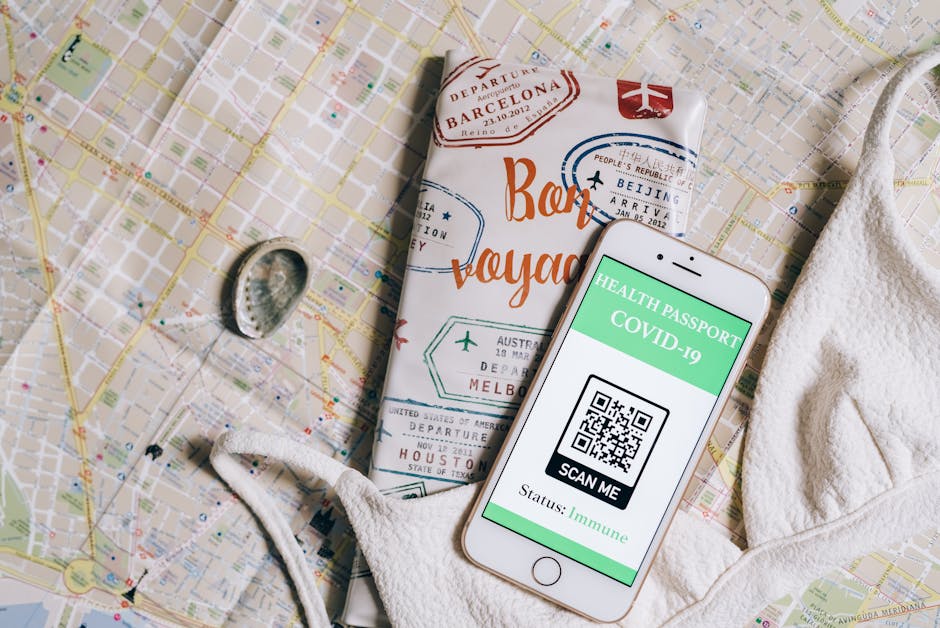 Photo: Leeloo The First on Pexels
Skim this if you're closing five tabs and just want a verdict.
| Tool | Best for | Sign-up required? | Free dynamic codes | Logo embed | Free analytics | Output formats |
|---|---|---|---|---|---|---|
| QRBliss | AI brand sync + free dynamic codes | No (sign-up only to save/edit dynamic codes) | 15 | Yes (auto-palette from logo) | Yes | PNG, SVG, PDF |
| QRCode Monkey | High-res print runs, no account | No | 0 (static only) | Yes | No | PNG, SVG, PDF, EPS (up to 2,000px) |
| QR TIGER | Integrations (Canva, Zapier, HubSpot) | Yes | Limited (scan-capped) | Yes | Yes (paid full features) | PNG, SVG, PDF |
| Flowcode | Mobile landing-page-as-the-QR | Yes | 2 | Yes | Yes (with branding on free) | PNG |
| Bitly | Marketers already in link-tracking | Yes | 2 free/mo | Yes | Yes (link analytics) | PNG, SVG (paid) |
| QRCodeChimp | Granular shape and gradient nerds | Email-only (free static is sign-up-less; dynamic + save needs an account) | 1 | Yes | Yes | PNG, SVG, PDF, EPS |
| Adobe Express | Adobe-ecosystem creative teams | Yes (free Adobe account) | 0 | Yes | No (basic only) | PNG, SVG, JPG |
A few notes on what those columns are actually measuring before we go deep on each tool:
- Sign-up required?: whether you can generate and download a finished code without entering an email or creating an account. "No" is the rarest column value in the QR space, and it's the one most readers searching "no sign up" are filtering on.
- Free dynamic codes: codes whose destination URL you can edit after you've printed them, without paying. The single most asked-for feature in QR tooling. The single most paywalled.
- Auto-palette from logo: extracting brand-accurate colors from a logo upload, then verifying the result still scans (contrast ≥ 3:1). Different from "you can pick a color." Way different.
- Free analytics: scan counts, country, device class. Available without a credit card on the free plan.
#1: QRBliss — Best for AI brand sync + free dynamic codes
 Photo: cottonbro studio on Pexels
The pitch in one line: Upload a logo, get a QR code with brand-accurate colors that's contrast-verified and scannable, in under 2 seconds.
Free tier: 15 dynamic codes, unlimited static, 30-day analytics, 5 saved logos. Paid tier: Pro from $9/month monthly or $84/year annual: unlimited dynamic codes, no PDF watermark, campaign tracking, deep analytics, 50 saved logos, no ads, priority support. Custom domains are Business-only.
What it does that the rest of this list doesn't:
- Sign-up required: No (generate and download a static or your first dynamic code with zero account; sign-up only kicks in if you want to edit the dynamic destination later or save to a library).
- AI Brand Sync: drop a logo, the generator extracts your real brand palette via Vibrant.js (client-side, no upload-and-wait round trip), then checks contrast against the WCAG 3:1 scannability threshold. If a brand color would tank scan rate, it tells you and offers a sampled fallback. Not a generic "dark on white" fallback. One sampled from your logo.
- 15 free dynamic codes: for context, Flowcode gives you 2, most others give you 0. The cap exists, but it's wide enough to cover most small-team campaigns without immediately upselling.
- Smart redirects: route scanners to a different URL based on device class (iOS / Android / desktop) and time-of-day. The bagel shop with one code that points to brunch menu Saturday morning and pre-order form Saturday night isn't a paid feature here.
What it doesn't do (yet): No password-protected codes. No white-label reseller plan. If those are deal-breakers, scroll on — both are on the roadmap; we'd rather ship them right than rush a checkbox.
Honest aside: We make this product. We also know what "best for everything" reads like. QRBliss earns the #1 spot for one category: AI brand sync paired with a generous free dynamic tier. For print-shop output, you want #2.
#2: QRCode Monkey — Best for high-res print runs
 Photo: Jakub Zerdzicki on Pexels
The pitch in one line: The most popular free QR generator on the web, and it earned that ranking by being the easiest way to get a 2,000px print-ready vector file without an account.
Free tier: Unlimited static codes, custom logos, multiple shape patterns, vector exports. Paid tier: None (their dynamic codes live on a separate paid platform, confusing but true).
What it does well:
- Sign-up required: No. None. The cleanest free static experience on the web: open the page, generate, download, leave.
- 2,000px PNG, plus SVG, PDF, EPS: when your QR is going on a 6-foot trade-show banner, this is the output you want. Nobody else gives this away free.
- Logo embed without watermark: drop your logo into the center, no Monkey branding, no upsell modal. This is rare on free tiers.
- Twenty-plus pattern variations: body, eye-frame, eye-ball each customizable. Real design freedom on a static code.
What it doesn't do:
- Static only. Want to change the URL after you've printed 5,000 flyers? Sorry, you're reprinting. Or buying their separate dynamic platform, which they don't tell you about until you're already invested.
- No analytics. Zero scans tracked, ever.
Use it for: Print-only campaigns where the destination URL will outlive Nickelback's discography. (That's still going. I checked.) Full breakdown in our QRCode Monkey review.
#3: QR TIGER — Best for integrations
 Photo: ready made on Pexels
The pitch in one line: If you live inside Canva, Zapier, or HubSpot, QR TIGER drops a QR generator inside those workflows so you don't have to context-switch.
Free tier: Static codes, basic dynamic with scan caps, design controls. Paid tier: Plans from $7/month (more dynamic codes, full analytics, no scan limits).
What it does well:
- Sign-up required: Yes. A free account is needed before you can generate, even for static.
- Native integrations into the tools marketers already pay for: Canva button, Zapier zaps, HubSpot CRM linking. The "I have to leave my workflow to make a QR code" tax disappears.
- API access on paid plans: if you're embedding QR generation into your own product, this is one of the cleaner API surfaces on the market.
- 24 link types supported: vCards, Wi-Fi, PDFs, App Store routing — broader than most competitors.
What it doesn't do:
- Free dynamic codes are scan-capped. You'll hit it. The whole feature exists to prove the concept and convert you.
- Free dynamic codes show TIGER branding before redirect. Not a great look on a print campaign for your client.
Use it for: Marketing teams already paying for the rest of the stack and willing to budget the $7/month to unlock the full feature. Full breakdown in our QR TIGER alternative comparison, including the 30-day inactivity policy that deactivates codes.
#4: Flowcode — Best for the landing-page-as-the-QR play
 Photo: Abdulkadir Emiroğlu on Pexels
The pitch in one line: Don't have a mobile-friendly landing page? Flowcode builds one for you, and the QR points at it.
Free tier: 2 dynamic codes, mobile landing page builder, basic analytics. Paid tier: From $25/month (more codes, more landing-page templates, white-label).
What it does well:
- Sign-up required: Yes. Flowcode is account-first; you can't generate without one.
- Mobile landing pages baked in. For small businesses or one-person shops without a website, this is genuinely the fastest path from "I have a phone number" to "I have a campaign that scans into a polished page."
- No scan limits on free dynamic codes. Two codes, but both unlimited scans. Most competitors cap on either codes or scans; Flowcode caps the count, not the volume.
- Fortune-500 case studies. Genuinely used by big brands at TV-resolution scale, which is unusual for a freemium tool.
What it doesn't do:
- Free codes show Flowcode branding. Below the QR, in your campaign artwork. You'll feel it.
- Only 2 free dynamic codes. Two. If you're running parallel campaigns, this is a hard ceiling.
Use it for: Service businesses without a website who need a "scan, see menu, call us" experience and don't want to spend a weekend in WordPress.
#5: Bitly — Best for marketers already living in link tracking
 Photo: weCare Media on Pexels
The pitch in one line: The most established short-link platform on the planet bolted a QR generator onto their existing analytics — if you're already a Bitly customer, this is one fewer tool.
Free tier: 2 dynamic QR codes/month — but free-plan links route through an ad interstitial before your destination. Paid tier: From ~$10/month (Core); QR is bundled into link-management plans, not standalone.
What it does well:
- Sign-up required: Yes. Bitly is account-first across the board; QR generation is bolted onto the link-tracking dashboard.
- Unified link + QR analytics. Every scan rolls into the same dashboard as your shortened links. For marketers running attribution at scale, the consolidation is genuinely useful.
- Branded short links.
yourbrand.co/promoinstead ofbit.ly/3a9Xz— works for clickable links and works equally well for QR destinations. - Enterprise reliability. Bitly's redirect uptime is the gold standard. If your campaign needs five-nines, this is the platform that delivers it.
What it doesn't do:
- Free codes carry an ad interstitial. As of 2025, free-plan Bitly links show a preview/ad page before your destination — rough on a printed QR, and removing it means paying.
- Only 2 free QR/month, at link-management pricing. The QR feature is bundled into plans built for link attribution, not standalone QR.
Use it for: Mid-to-large marketing teams already paying Bitly and wanting QR scans inside the dashboard they already log into. Full breakdown in our Bitly QR code review.
#6: QRCodeChimp — Best for shape and gradient customization
 Photo: Codioful (formerly Gradienta) on Pexels
The pitch in one line: If you want your QR to look less like a QR and more like a piece of brand artwork, QRCodeChimp has the deepest visual customization library on the market.
Free tier: 1 dynamic code, full design library, basic analytics. Paid tier: Plans from $7/month (more dynamic codes, premium templates, advanced analytics).
What it does well:
- Sign-up required: Email-only. The free static path generates without an account, but the free dynamic code, analytics, and saved-design library all require an email registration.
- 72 module shapes, gradient fills, frame stickers. This isn't "pick from 5 patterns." It's a real design library, with combinations most other tools don't reach.
- CTA frames that boost scan rates. The "Scan me!" frames sound corny — they also lift scan rates by ~25% on real campaigns. Not just decoration.
- Decent free tier: one dynamic code is more than Bitly or Adobe Express give you.
What it doesn't do:
- The most ornate designs sometimes break. Heavy gradients, nested shapes, low-contrast colors — Chimp lets you do all of these, but it doesn't always warn you that the result won't scan reliably from 6 feet away. We had three "looks great, doesn't work" codes during testing.
- Limited link types. Fewer dynamic-link options than QR TIGER.
Use it for: Brand designers who care more about aesthetic fit than dynamic features, and who'll test scannability themselves.
#7: Adobe Express — Best for Adobe-ecosystem teams
 Photo: Walls.io on Pexels
The pitch in one line: A free QR generator inside Adobe Express, designed to drop straight into Express's poster, social, and flyer templates.
Free tier: Static codes only, basic logo and color customization, unlimited use. Paid tier: Bundled into Adobe Creative Cloud (~$10/month for Express specifically).
What it does well:
- Sign-up required: Yes. A free Adobe account is needed, but no Creative Cloud subscription required for the basic static-QR generator.
- Templated drop-in. If you're already designing the flyer in Express, the QR is two clicks away — you don't bounce out to a separate tool, render, and re-import.
- Brand kit integration. Adobe Express stores your logo and brand colors, and the QR generator pulls from that kit by default. Closest thing to "AI brand sync" outside of QRBliss.
- No watermark on free static codes. Refreshing.
What it doesn't do:
- No dynamic codes. None. None. Adobe is a design suite, not a redirect platform.
- No analytics. Zero scan data.
- Locked inside the Express app. You can't generate without opening Express.
Use it for: Teams already in Creative Cloud who want a single workflow for static brand artwork.
What separates the best QR generators from the filler in 2026
 Photo: KoolShooters on Pexels
Three features separate a QR generator that earns a place on your campaign from one that ships a pretty PNG and disappears. The "best of" lists almost never mention them. Here's what they're missing.
Old way (what most QR generators stop at): → Generate a PNG with a logo in the middle → Let you tint the modules with whatever colors you want and call that "branded" → Charge $25/month the moment you want to edit the destination → Hope nobody asks if it'll scan from across a room
New way (what 2026 QR generators should actually do):
1/ Scannability check. Verify WCAG contrast ratio (≥ 3:1) on every color combination before exporting. If your brand red and brand black don't have enough contrast, the code will look great in Figma and fail at the trade show. Almost no tool does this. QRBliss does it client-side in milliseconds, no network round trip.
2/ AI Brand Sync. Extract a real brand palette from a logo upload (5 colors, contrast-verified) instead of asking the user to eyedropper their own brand into a color picker. The "<2 second upload to perfect design" wow is a category-changer when you've used the eyedropper version.
3/ Smart redirect rules. Route scanners by device class (iOS / Android / desktop) and time of day. The post-9pm scanner gets the late menu; the iOS scanner gets the App Store link, the Android scanner gets the Play Store one. Static QR can't do this. Most "dynamic" QR can't do it either, because they think dynamic just means "editable."
The QR generator that ships all three doesn't exist on most lists. That's the opening QRBliss is built around. If your tool of choice doesn't do at least the first one, you're going to find out the hard way at print-time.
Static vs dynamic QR codes — which one you actually need
 Photo: ilkin yagubov on Pexels
The single biggest decision in QR tooling, and the one most "best of" lists skip.
Static QR codes encode the destination URL directly into the pattern. The pixels are the URL. Pros: free, never expire, no platform dependency. Cons: change the URL and the entire code is invalidated — reprint, redistribute, redo the QR sticker on every product box.
Dynamic QR codes encode a short URL (like qrbliss.com/r/abc123) that redirects through a platform to your actual destination. Pros: edit the destination anytime, get scan analytics, route conditionally. Cons: depends on the platform staying up; usually paywalled.
The 30-second decision tree:
- Personal Wi-Fi password on a coaster? Static. Will outlive the coaster.
- Restaurant menu printed on 200 table tents? Dynamic. Menus change. Reprinting is real money.
- Business card with your LinkedIn URL? Static. Your LinkedIn URL doesn't move.
- Marketing campaign with seasonal promos rotating through one printed flyer? Dynamic. Or you'll be printing all year.
- Product packaging that needs analytics on which retailer scans most? Dynamic.
Industry-wide, 65% of QR codes generated globally in 2026 are dynamic — and the share is growing because reprint costs are real. (Source: Guideflow)
If your QR will live longer than a week and either (a) the URL might change or (b) you want scan data, you want dynamic. The free tier you pick determines whether you'll cap out at 2, 15, or zero.
How I tested these QR generators
 Photo: MART PRODUCTION on Pexels
For each generator, I ran the same five tests:
1/ Time to first QR — from landing page to downloaded PNG, no signup. Sub-60-seconds was the bar.
2/ Scan reliability at distance — printed each code at 2x2cm, 5x5cm, and A4-size, then scanned with iOS Camera app and Android Default Camera at 1ft, 3ft, 6ft. Both phones, both apps.
3/ Logo embed quality — uploaded the same SVG logo into all 7 tools, compared visual fidelity and whether the resulting code still scanned with the logo at 25%, 30%, and 35% center coverage.
4/ Dynamic-edit latency — for tools with free dynamic codes, edited the destination URL and measured how long until a fresh scan picked up the new destination. Anything over 60 seconds is a campaign liability.
5/ Free-tier honesty — what's actually free vs what's labeled free with a "complete signup to unlock" footnote.
I also scanned every final code with the iOS error-correction limit deliberately tested by occluding 30% of the code with my thumb. The QR spec allows up to 30% damage tolerance with the highest error correction level — most generators don't ship that level by default, and the difference shows up in real-world scanning.
📌 What shifted from 2025 to 2026
 Photo: Matheus Bertelli on Pexels
If you used a QR generator in 2024 and assumed nothing's changed, here's what actually has:
- 102.6 million U.S. smartphone users scanned a QR code in 2026. QR is now squarely mainstream behavior, not a pandemic-era novelty.
- AI brand sync stopped being a luxury. Extracting brand-true palettes from a logo went from "agency feature" to "table stakes" because the underlying libraries (Vibrant.js and friends) became fast enough to run client-side.
- Free dynamic codes broke the 2-code ceiling. Flowcode held the line at 2 for years; QRBliss landed in 2026 with 15. Expect competitors to follow.
- Scannability checks moved into the tool itself. Designers used to test contrast in Figma and hope. The good 2026 tools do this in real time during design.
- Smart redirects went from enterprise to free tier. Device-aware and time-of-day routing was a $200/month feature in 2024. It's free in 2026, on at least one tool.
- Watermarks on free dynamic codes are no longer accepted. Campaign artwork can't ship with someone else's logo on it. Tools that still do this are losing free-tier users to ones that don't.
The shift is clear: the winning generators are no longer the ones with the most templates. They're the ones that build redirects, analytics, and scannability into the free tier and treat customization as the baseline, not the upsell.
Frequently asked questions
 Photo: DS stories on Pexels
Do QR codes expire?
Static QR codes never expire — the destination URL is encoded directly in the pattern, so as long as the URL itself works, the code does too. Dynamic QR codes depend on the redirect platform staying up: if the company hosting your dynamic code goes out of business or you cancel a paid plan, the redirect stops resolving and the QR effectively dies. Pick your platform with that risk in mind.
Deep dive: Free static QR codes that never expire — and which generators give them away with no sign-up.
Can I edit a QR code after printing?
Only dynamic codes. Static codes encode the destination directly into the pixels — change the URL and you've changed the code. Dynamic codes encode a short URL that redirects through a platform; edit the redirect rule, every existing printed code now points to the new destination. This is the single feature most people don't realize they need until they've reprinted 5,000 menus.
Are free QR generators safe?
Reputable ones are. The risk vector is malicious destinations — a QR code itself doesn't contain malware, but it can route a scanner to a phishing site. Stick to generators with a clear privacy policy, avoid sketchy ad-heavy free tools, and never embed a destination URL you didn't create. The QR is just a redirect; the destination is what matters.
What's the difference between static and dynamic QR codes?
Static = URL baked into the pattern, never changes, free forever, no analytics. Dynamic = short URL that redirects through a platform, editable destinations, scan analytics, depends on the platform. If your QR will live longer than a week, you almost certainly want dynamic.
Can I add logos and custom colors to a free QR code?
Most free generators support both. Logo embed up to ~30% of the code's center is the standard limit before scannability suffers (the QR spec's error correction tolerates up to 30% damage at the highest level). Color customization is universal — the catch is contrast: your QR needs at least a 3:1 contrast ratio against its background to scan reliably, which most tools don't actually verify before exporting.
Can free QR generators track scans?
Only the ones with dynamic codes. Static codes have no platform in the redirect path, so there's nothing to count. Dynamic codes do — and the better free tiers (QRBliss, Flowcode, QRCodeChimp) include basic analytics: scan count, country, device class. Premium analytics like time-of-day breakdowns and unique-scanner tracking usually live behind a paywall.
What file formats can I download a QR code in?
PNG is universal. SVG and PDF are essential for print (they're vector, so they scale without quality loss). EPS is older but still required by some print shops. JPG works but introduces compression artifacts that can break scannability — avoid it for QRs unless you're publishing to a platform that demands it.
What's the minimum size to print a QR code?
2cm x 2cm (about 0.8 inches square) at 1ft scan distance. As a rule, scale up the QR size to ~10% of the maximum scan distance: a code meant to be scanned from 10ft should be at least 1ft square. The print also needs to be on a flat surface — curved or wrinkled prints are the silent killer of scan rate.
What free QR code generator does Reddit recommend?
Search r/QRcode, r/smallbusiness, or r/marketing and the threads converge on two pieces of advice. First: for free static codes, QRCode Monkey is the near-universal pick — high-res, no sign-up, no watermark, and Redditors have been recommending it for years. Second, and louder: the warning. Reddit is full of people who printed a "free" dynamic code, then discovered editing the destination or seeing scan data was paywalled — or worse, that the free dynamic code expired and bricked their printed run. The recurring Reddit lesson is the same one this guide is built on: confirm the free tier actually lets you edit and track before you print, not just generate. That's exactly the gap QRBliss closes — 15 free dynamic codes, editable destinations, scan analytics, no sign-up to start, and codes that don't expire out from under you.
Do Wix and Shopify have built-in QR code generators?
Both do, and both are static-only with no scan tracking — fine for a packing-slip insert, wrong for anything printed at volume. We walked through each: Wix and Shopify.
How do I make a QR code in Canva, Adobe Express, or Chrome?
All three have built-in generators, and all three are static-only. We wrote a walkthrough for each: Canva, Adobe Express, and Google Chrome's built-in tool. Short version: great for a static code inside a design or a quick tab-to-phone share, but none of them edit destinations or track scans. Generate those at a dedicated tool and paste the file into your design.
The same holds for the rest of the software already open on your desk: Microsoft Office, Excel, Acrobat, and Illustrator or InDesign. Every one of them makes a static image and stops there. Linking to a PDF rather than putting a code inside one is a different job — that one's here.
TL;DR — pick by the situation, not by the rank
There is no single "best QR generator." There's the best one for your campaign, and the right answer depends on three questions:
- Does the QR need to outlive a week? → Dynamic. QRBliss (15 free codes), Flowcode (2 free, with watermark).
- Going on print-shop artwork that won't change? → High-res static. QRCode Monkey.
- Already inside Canva or Adobe Express? → Use the tool you're already in. Don't context-switch.
- Need device-aware redirects or AI brand sync? → QRBliss. That's the gap nobody else fills.
Same game. Different wrapper. The QR is just a redirect. The platform behind it is where the campaign actually lives.
Try it ➞ Save 💾 ➞ Share ♻️
If you're sitting on a logo and a campaign deadline, generate a QR with QRBliss — drop the logo, get a brand-true code with contrast verified, ship in under 2 minutes. Free tier covers 15 dynamic codes, 30-day analytics, and 5 saved logos.
For everything else on the list, the links go straight to each tool's homepage. We have no affiliate setup with any of them — pick by what fits your campaign, not by what fits ours.
Last updated: 2026-05-14 — retargeted for the free / no-sign-up / static-and-dynamic search query and linked through to the static-QR-expiration explainer. Stats sourced from Guideflow's 2026 QR roundup, TXTImpact's review, and Jotform's tool comparison. Read those for an outside-in second opinion.
Frequently asked questions
Do QR codes expire?
Can I edit a QR code after printing?
Are free QR generators safe?
What's the difference between static and dynamic QR codes?
Can I add logos and custom colors to a free QR code?
Can free QR generators track scans?
What file formats can I download a QR code in?
What's the minimum size to print a QR code?
What free QR code generator does Reddit recommend?
Do Wix and Shopify have built-in QR code generators?
How do I make a QR code in Canva, Adobe Express, or Chrome?
Create your first QR code.
Free tier. No signup required to start. Dynamic codes included.
Make a QR →